Guides
Instagram welcome messages: set up and test an inbound DM
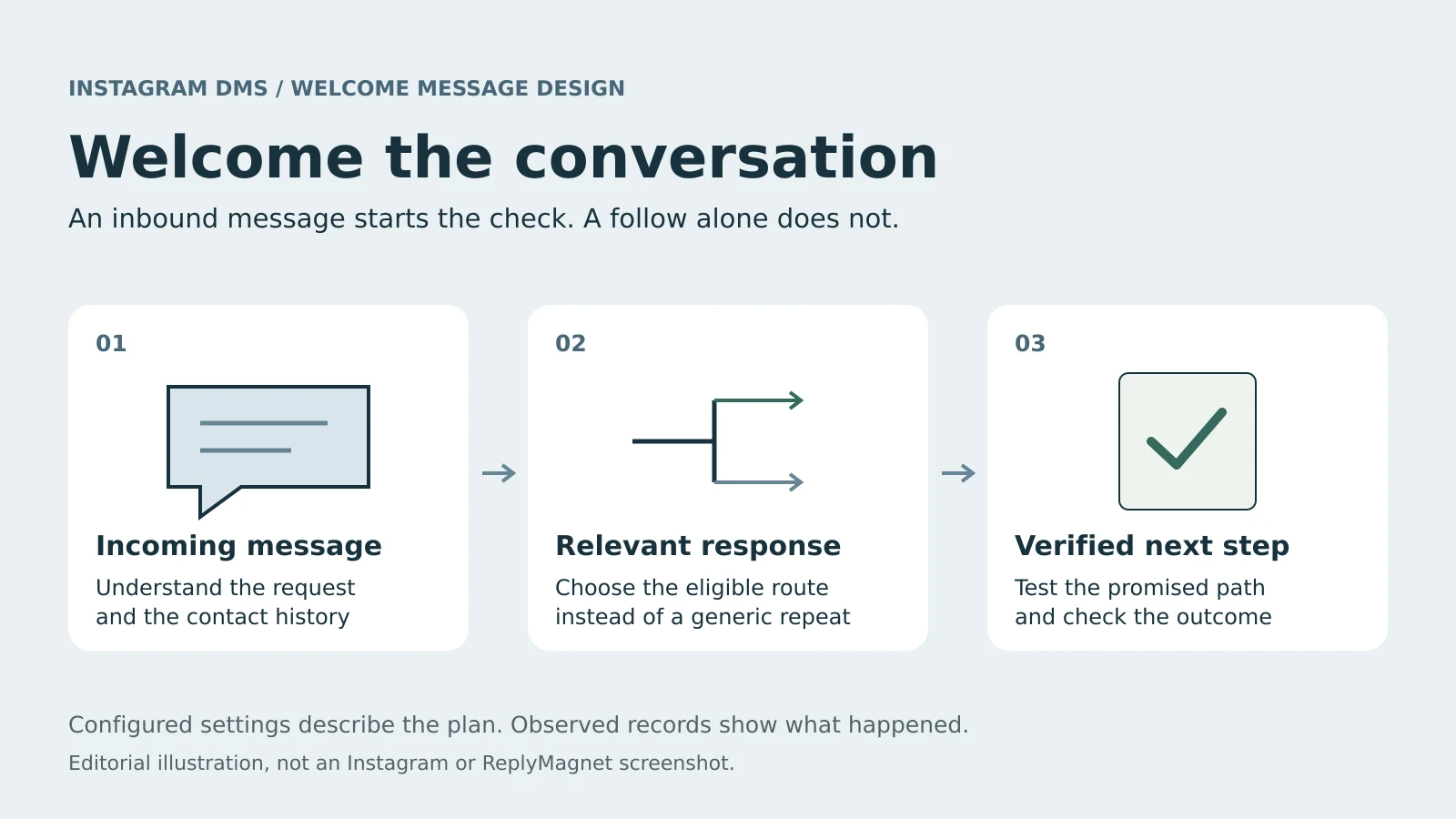
An Instagram welcome message should help someone who has contacted you take a useful next step. In ReplyMagnet the general welcome answers an eligible incoming DM; following your profile alone does not start it. Here is how to choose the right response, configure the welcome and test it before real visitors arrive.
Published by ReplyMagnet · Last updated
What starts an Instagram welcome message?
ReplyMagnet's general welcome starts with a qualifying incoming message on a connected Instagram account, once per eligible person. Meta's messaging documentation describes a user-initiated conversation, so a follow by itself never produces the welcome.
Meta's Send Messages documentation describes the rule: the person messages the professional account before an app can respond through this route. Keep the entry points separate:
- An incoming DM can be considered for a Direct messages campaign.
- A post comment belongs to a comment campaign and its private-reply rules.
- A story response has its own campaign surface and context.
- A follow alone does not trigger the inbound welcome described here.
The same person can interact in several ways. When a welcome seems missing, establish what they actually did instead of assuming every interaction should produce the same greeting. Start free once you know which event you want to answer.
Choose a specific answer before a general greeting
Use the general welcome only for a message that selects no more relevant campaign. ReplyMagnet checks keyword and Smart matches first, so a qualifying GUIDE request takes the resource route instead of a second introduction.
Someone asking for a worksheet needs the worksheet; someone saying hello may need a short explanation of what they can ask for. Pick the behaviour around the visitor's need:
- General welcome: introduce the available next step without assuming why the person wrote.
- Keyword campaign: answer a clearly named request with its resource.
- Smart campaign: consider eligible requests that never use the configured keyword.
Smart matching is an entry decision, not an unrestricted AI assistant; AI Smart Triggers explains that limit. For Contains, Exact and word choice, use the trigger keyword guide. A reply inside an active chat flow belongs to that conversation.
Do not add a second welcome because someone enters a specific campaign. The useful first impression is the response that fits their request.
Set up the inbound welcome in ReplyMagnet
Decide one job for the first reply, connect the professional account and create an Instagram campaign on the Direct messages surface. Write a short greeting with a verified destination, then test from an account you control before launch.
- Define one job. A course creator might point to a starter resource; a photographer might explain how to ask about a session. Write the intended outcome down. If you need several unrelated outcomes, separate the specific requests instead of putting a whole sales funnel in the greeting.
- Check the connection. Use the Business or Creator account that should receive the messages. Resolve connection errors first with the Instagram connection guide; good copy cannot fix a connection that cannot receive the activity.
- Choose the Direct messages surface. Create an Instagram campaign and select Direct messages, then the general any-mode welcome rather than a Posts and Reels comment trigger. Review other live DM campaigns and note which requests they already handle. The campaign documentation covers the draft-and-launch flow.
- Write the reply and open its destination. Keep the greeting short enough that the next action is easy to find on a phone. Name the resource accurately and explain any email step before the click. Check the destination yourself: a working homepage is not a useful destination for someone expecting a worksheet.
- Review, then run a controlled test. Saving a draft does not make a campaign live, and reading its copy does not prove delivery. Activate the intended setup, test with an account you control or a consenting colleague, and inspect the message before pointing a wider audience at it.
Make the first reply useful and transparent
A welcome needs three things: acknowledgement of the incoming message, a clear statement of the help available and an honest next step. It does not need an unsolicited pitch, several links or a promise that a person is replying right now.
One illustrative opening: “Thanks for messaging. This is an automated welcome. For the starter worksheet, send GUIDE.” Use it only when that keyword route is configured and tested.
For US and European audiences:
- Name the currency when you mention a price and a time zone when you state support hours.
- Promise only a human response time your team can keep.
- Meta's automated-experience guidance recommends making automation clear and singles out California and German audiences for disclosure attention. Use plain language; one sentence does not satisfy every legal obligation.
Do not write the greeting as if you knew the person had just chosen to follow you. The event you know about is the message. You cannot tell whether the person just followed, has followed for years or does not follow at all.
Understand first-contact eligibility and timing
The welcome is sent once per eligible person on the account, not after every message, and Meta's messaging documentation gives most incoming DMs a standard 24-hour reply window. A queued request that passes the deadline expires instead of sending.
Recorded prior interactions and a pending welcome affect eligibility, so repeating hello from the same test account is not a reliable retest. Recorded history can also be incomplete: the chat flow builder guide explains that someone who contacted the account before can still qualify when that earlier history is unavailable. Describe the rule as first eligible recorded contact, never as a guarantee of a first-ever message.
Time limits apply separately. Meta's documentation describes the 24-hour window for most user actions, with different treatment for a first message after a Click-to-Direct ad. Do not assume an ad exception applies to an ordinary inbound welcome. ReplyMagnet checks the deadline before sending; raising capacity later does not restore an expired request. The messaging rules guide separates incoming-message and comment-reply windows.
Test the welcome with expected and observed results
Write the expected result before each test case, then record what actually happened with the campaign, account, time and contact history. “Expected” describes intended behaviour under stated conditions; only the observed column counts as evidence.
Copy this checklist into your test record and add blank Observed result and Tested at columns. Fill them only after the test.
Welcome-message test cases
Test case
Eligible first DM with no specific match
- Expected behaviour
- General welcome is considered
- Evidence to inspect
- Actual recipient message and recorded route
Test case
DM matching a live keyword campaign
- Expected behaviour
- Specific campaign takes priority
- Evidence to inspect
- Correct campaign and promised destination
Test case
Clear off-keyword request with Smart configured
- Expected behaviour
- Evaluated under Smart rules; verdict not guaranteed
- Evidence to inspect
- Recorded match route and any response
Test case
Another DM after the same person's welcome
- Expected behaviour
- No repeated general welcome
- Evidence to inspect
- Contact history and any separate route
Test case
Follow without an incoming message
- Expected behaviour
- No inbound welcome from the follow alone
- Evidence to inspect
- Whether any other interaction occurred
Test case
Reply within an existing chat flow
- Expected behaviour
- That conversation continues
- Evidence to inspect
- Flow history, not a new welcome
Test case
Request that is pending or expires
- Expected behaviour
- Not counted as delivered
- Evidence to inspect
- Recorded pending, failure or expiry evidence
Use separate eligible contacts where a case depends on first-contact behaviour. Sending hello, receiving the welcome and then sending GUIDE from one account tests a later specific request, not keyword priority on the first message. Do not manufacture an expired request against a real audience; mark that path not tested if you cannot reach it safely. Open the linked resource on a phone as part of the successful path.
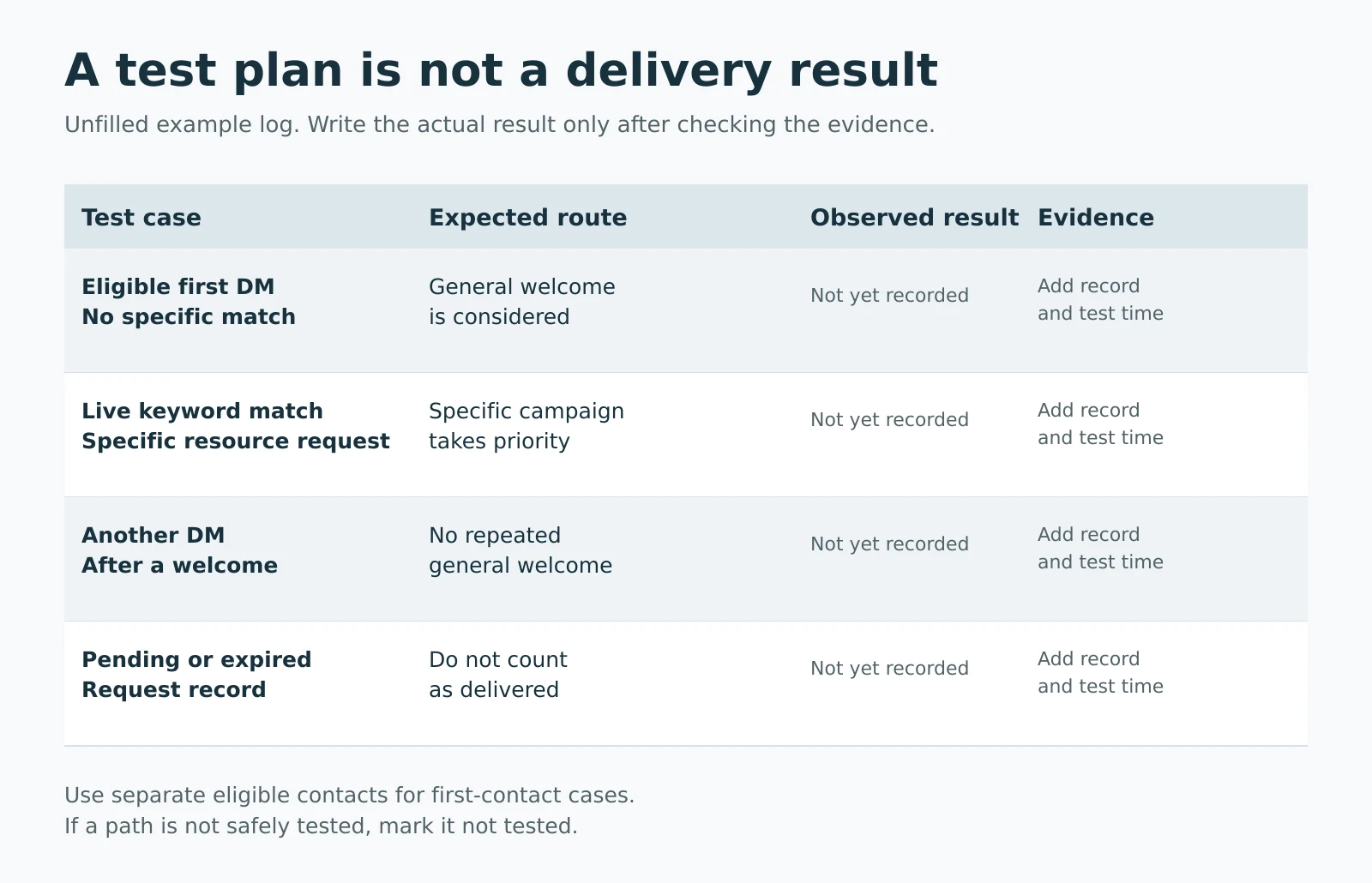
A testing worksheet, not live delivery results. Record expected and observed behaviour separately.
A send record alone does not prove the person read the message, and an opened resource does not establish a booking or purchase. The analytics guide explains why matching, delivery and downstream results should not share one success count.
If the welcome does not arrive, check the stage
Work through the incoming event, campaign status and routing, prior contact, then the recorded outcome and connection. Change one setting at a time so the next test tells you what improved.
- The event. Was it actually a DM to the connected account? A follow or comment does not test this path.
- Status and routing. A draft cannot answer, and a specific campaign may correctly have taken precedence.
- Prior contact. A test account that already received the welcome may no longer be eligible.
- Outcome, connection and capacity. Pending work is unfinished; an expired request needs a different explanation from a failed connection.
Do not relaunch campaigns repeatedly to force a greeting. If the recorded outcome is unclear, keep the test time and campaign details before investigating further. Set up your inbound campaign, keep the first reply specific and record the test outcome before promoting it.
Common questions
Can I automatically welcome every new Instagram follower?
Not with this inbound welcome. A follow alone does not trigger it. The person must send an eligible incoming message, and the campaign and delivery checks must also pass.
Is an Instagram welcome message the same as a chat flow?
No. The general any-mode welcome is separate from the chat flow builder. Use an eligible keyword or Smart campaign when you need a branching conversation.
Can I test Instagram welcome messages during the free trial?
Yes. ReplyMagnet's trial gives 30 days of Pro features without a card and 1,000 engagements, which is below paid Pro volume. Starter limits apply afterwards without a subscription.
What should I improve first in a welcome message?
Fix a broken or irrelevant next step before expanding the greeting. Verify one useful response, its route and its destination, then review real incoming questions before adding complexity.
Keep reading
- Instagram Comment-to-DM Automation: Setup & Test Guide
- How to use ReplyMagnet’s Instagram chat flow builder
- Instagram DM Automation Rules: 7-Day & 24-Hour Windows
- Guides